


WordPress Plugin
Chatbot Pilot
A highly customizable AI chatbot with dual backend support: n8n webhooks for complex workflows, or Native RAG with multiple LLM providers for self-contained intelligence.
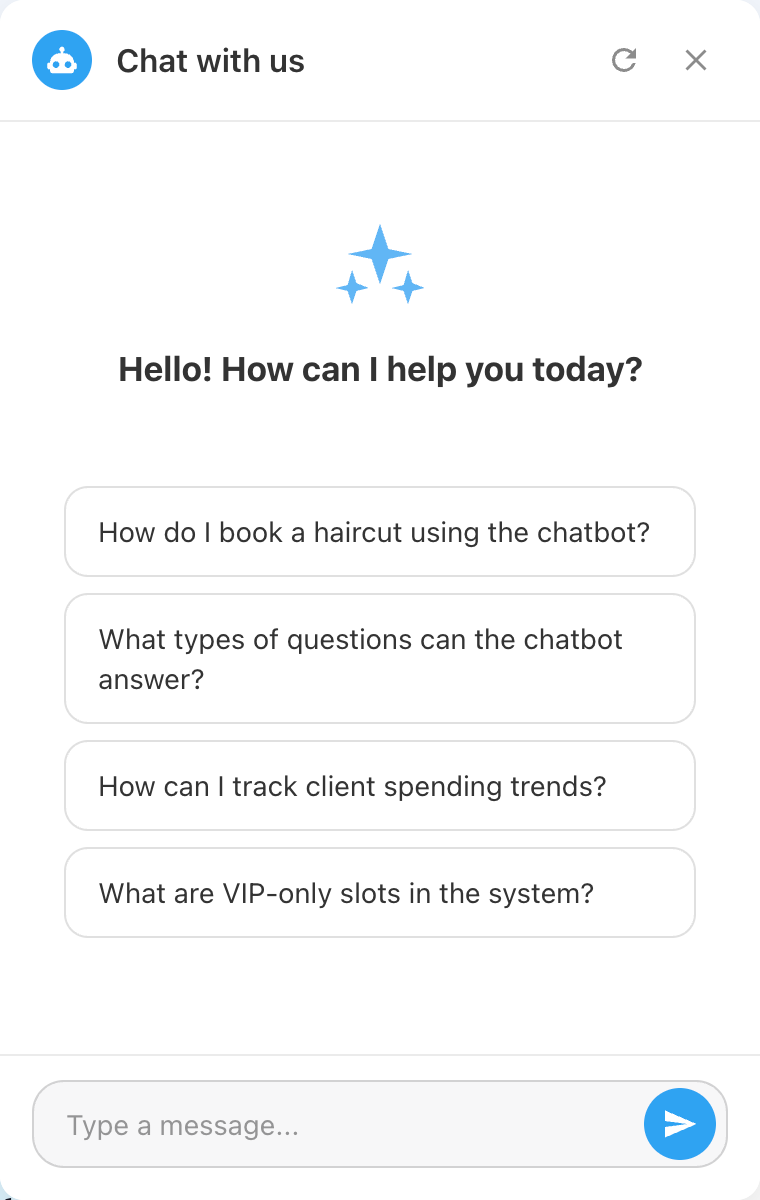
What is Chatbot Pilot?
Chatbot Pilot brings AI-powered customer support to your WordPress site with unmatched flexibility. Choose between two powerful backends: connect to n8n for complex automation workflows, or use the built-in Native RAG (Retrieval-Augmented Generation) engine that indexes your site content and answers questions using your choice of AI model.
The plugin supports 5 LLM providers — OpenAI, Anthropic Claude, Google Gemini, DeepSeek, and Ollama — giving you full control over cost, quality, and data privacy. The chatbot widget is fully customizable: position, colors, dimensions, messages, and typography.
Key Benefits:
- Dual backend: n8n webhooks or Native RAG engine
- 5 LLM providers: OpenAI, Anthropic, Gemini, DeepSeek, Ollama
- Knowledge base indexing with SQLite — answers from your actual content
- Fully customizable UI: position, colors, sizes, messages
- Multilingual support via Polyglot integration
- User feedback collection and export
- Health check system with real-time status monitoring
Key Features
Dual Backend Architecture
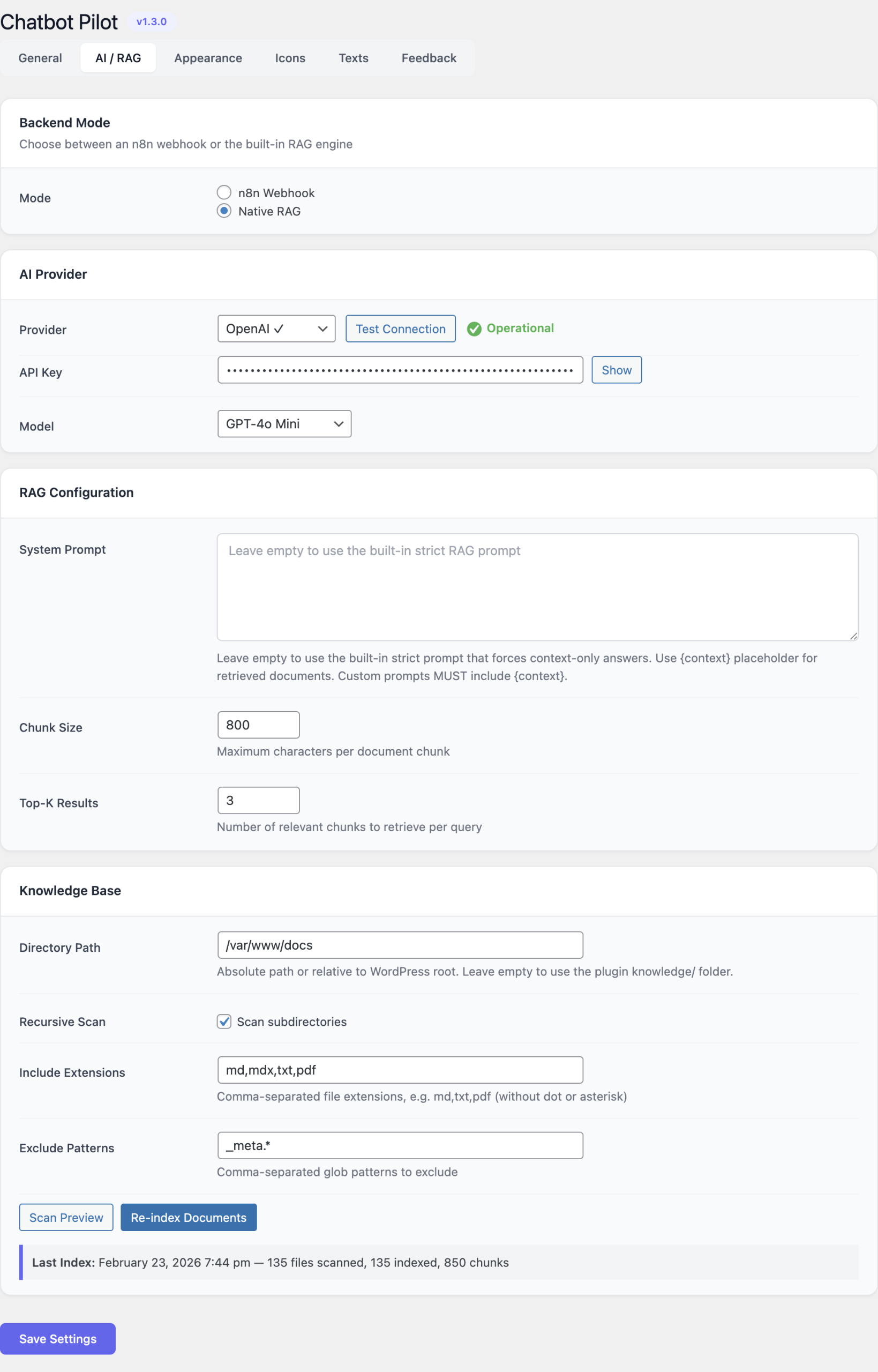
Choose n8n mode for complex automation workflows with external integrations, or Native RAG mode for a self-contained AI assistant that answers directly from your content.
Native RAG Engine
The built-in RAG system indexes your site content into chunks, stores them in SQLite, and retrieves the most relevant passages to provide accurate, contextual answers.
Multi-Provider AI
Switch between OpenAI GPT, Anthropic Claude, Google Gemini, DeepSeek, or local Ollama models. Each provider offers different cost/quality trade-offs.
Customizable Chat Widget
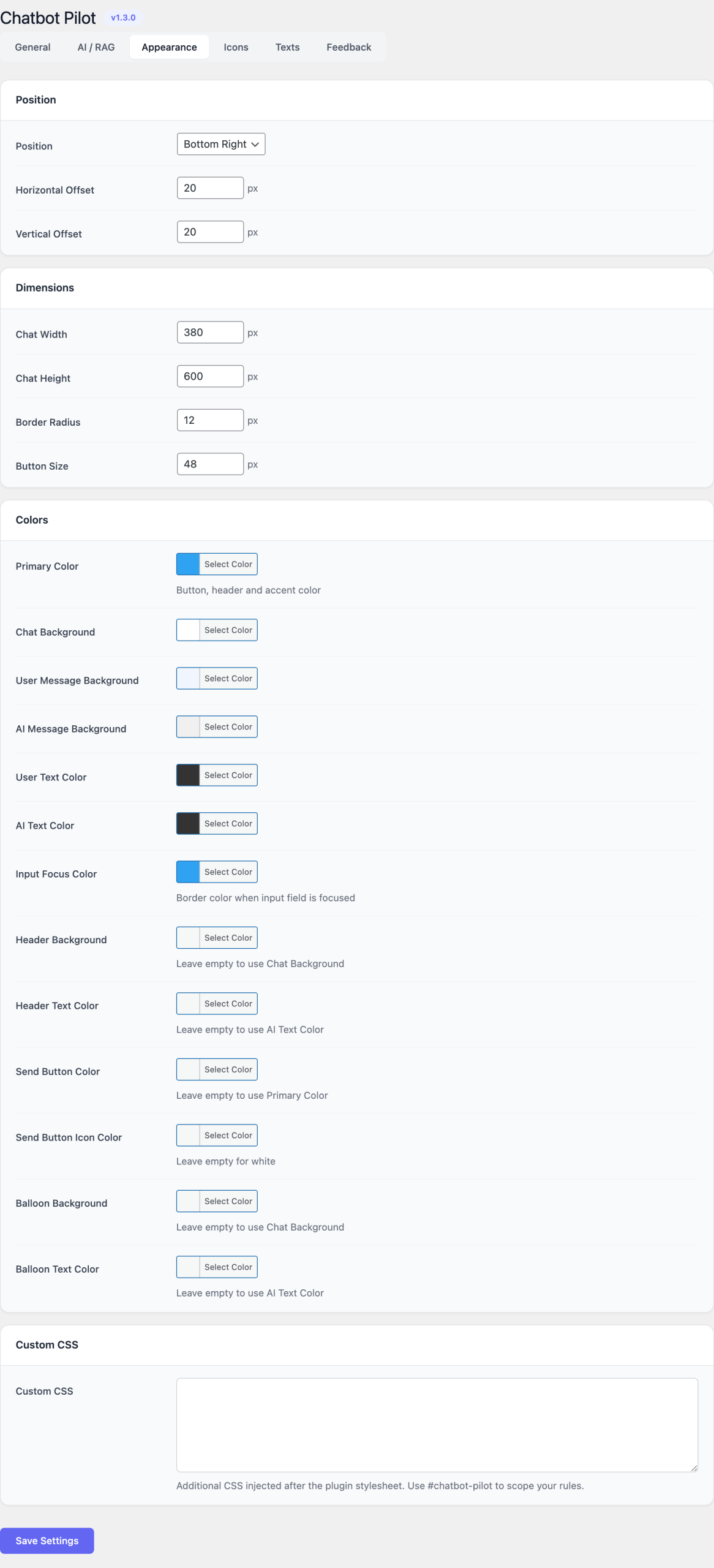
Control every aspect: chat position (bottom-left/right), button size, border radius, colors, welcome messages, placeholder text, error messages, and more.
Knowledge Base Indexing
Background indexing via WordPress cron. Configure chunk size, top-K retrieval, source paths, and file filtering for precise content matching.
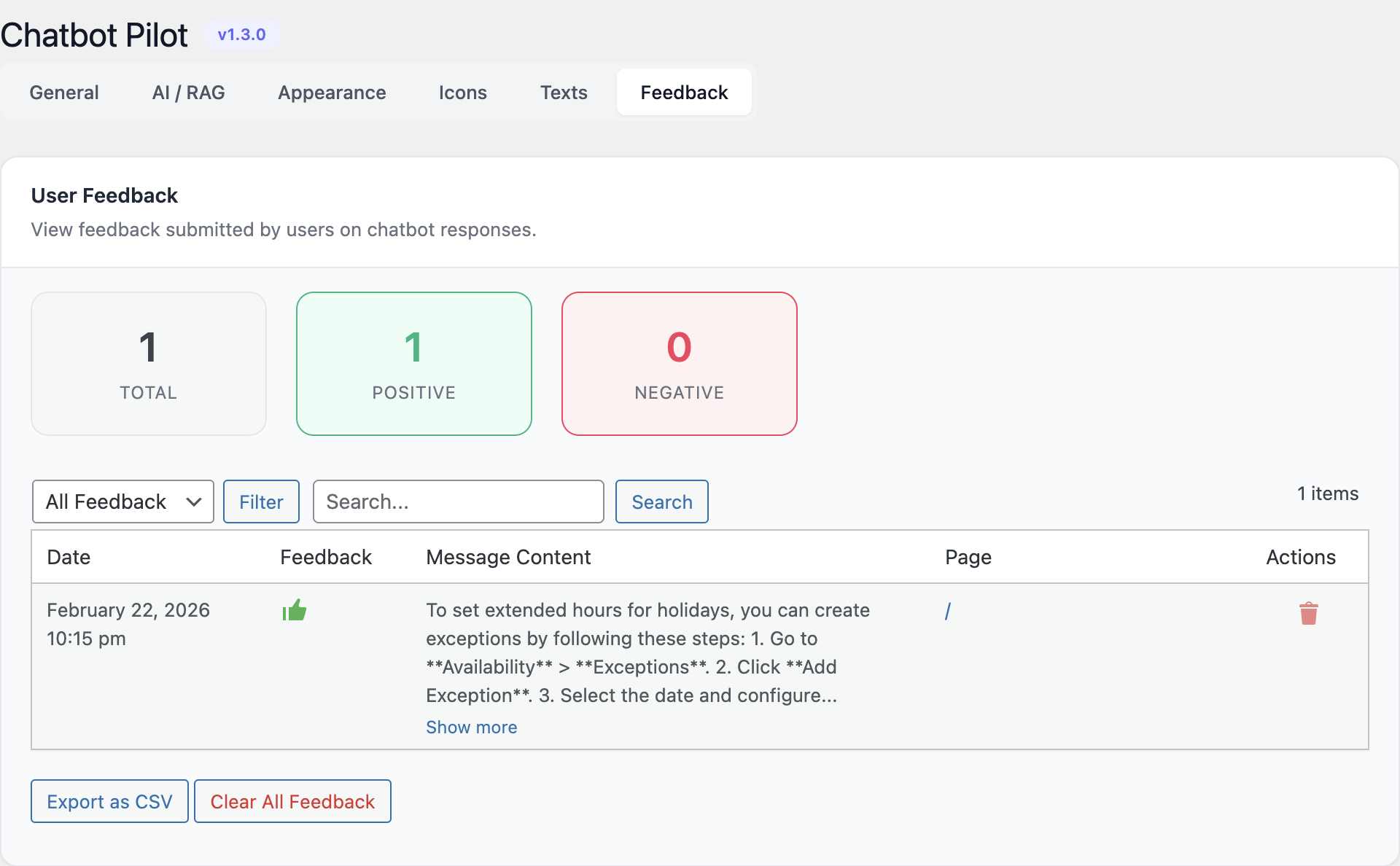
Feedback & Analytics
Collect user feedback on chatbot responses. Export feedback data as CSV, review individual conversations, and continuously improve response quality.
Admin Interface
Configuration Guide
Backend Mode
Choose your backend mode in the plugin settings:
n8n Mode: Enter your n8n webhook URL. The chatbot sends user messages to n8n and displays the response. Ideal for complex workflows with CRM, ticketing, or multi-step logic.
Native RAG Mode: Configure an AI provider, set up the knowledge base path, and let the plugin index your content automatically.
AI Provider Setup (RAG Mode)
Select your preferred provider and enter the API key:
- OpenAI: Best overall quality with GPT-4/GPT-4o models.
- Anthropic Claude: Excellent for nuanced, context-aware responses.
- Google Gemini: Fast responses at competitive pricing.
- DeepSeek: Budget-friendly with strong performance.
- Ollama: Complete privacy — runs locally on your server.
Knowledge Base Configuration
- Source Path: Define which content to index (default: entire site).
- Chunk Size: How large each content chunk should be (default: 500 tokens).
- Top-K: Number of relevant chunks to retrieve per query (default: 5).
Click 'Reindex' to rebuild the knowledge base after content changes.
UI Customization
- Chat Position: Bottom-left or bottom-right.
- Colors: Primary color, background, text color, user/bot message colors.
- Dimensions: Chat window width, height, button size, border radius.
- Messages: Welcome message, subtitle, input placeholder, error message, loading text.
Getting Started
- Install and activate Chatbot Pilot from Plugins → Add New.
- Go to Settings → Chatbot Pilot and choose your backend mode.
- For RAG mode: select an AI provider, enter your API key, and click 'Test Connection'.
- Configure the knowledge base source path and click 'Reindex' to index your content.
- Customize the chat widget appearance (colors, position, messages).
- Visit your site frontend — the chat widget appears automatically.
Ready to Add AI Support?
Deploy an intelligent chatbot on your WordPress site in minutes.