


WordPress Plugin
Cookie Consent
A fully customizable, GDPR-compliant cookie consent banner with category management, script blocking, consent logging, and real-time statistics. Beautiful, lightweight, and multilingual.
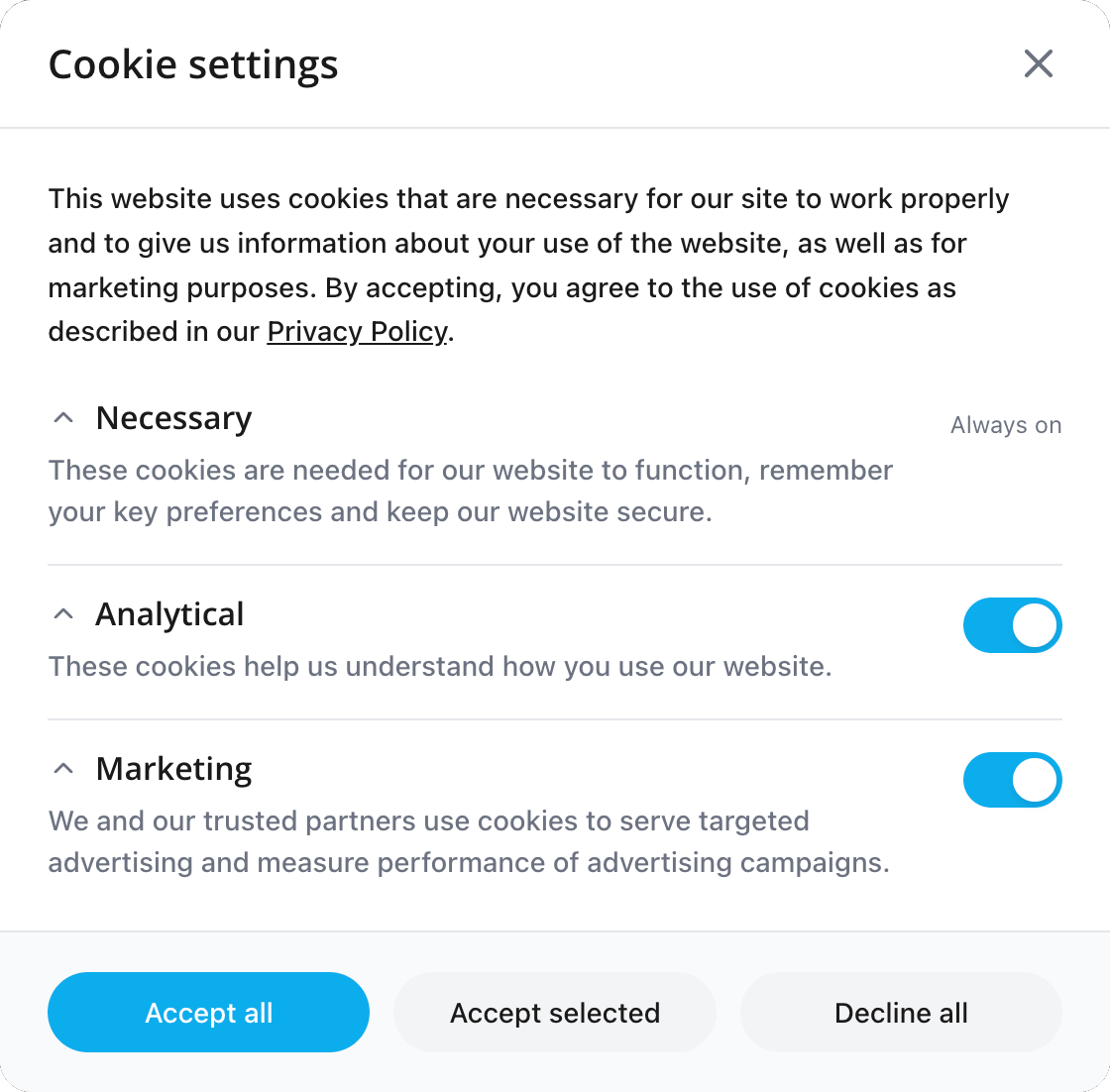
What is Cookie Consent?
Cookie Consent is a GDPR-compliant cookie banner plugin that gives your visitors full control over which cookies and tracking scripts run on your site. It groups cookies into categories (Necessary, Analytical, Marketing), blocks non-essential scripts until consent is given, and logs every consent decision for compliance auditing.
The plugin features a live preview of your banner design, multiple position options (bottom-left, bottom-right, top, modal), customizable colors, and built-in consent statistics. With Polyglot integration, your banner text is automatically translated into every language your site supports.
- GDPR-compliant consent management with granular categories
- Script blocking u2014 non-essential scripts load only after consent
- 5 banner positions: Bottom Left, Bottom Right, Bottom Center, Top, Modal
- Live preview in admin u2014 see changes before publishing
- Consent logging with 30-day statistics dashboard
- Multilingual support via Polyglot integration
- Customizable colors, text, and cookie expiry
- Floating re-consent button for visitors to change preferences
Key Features
Category-Based Consent
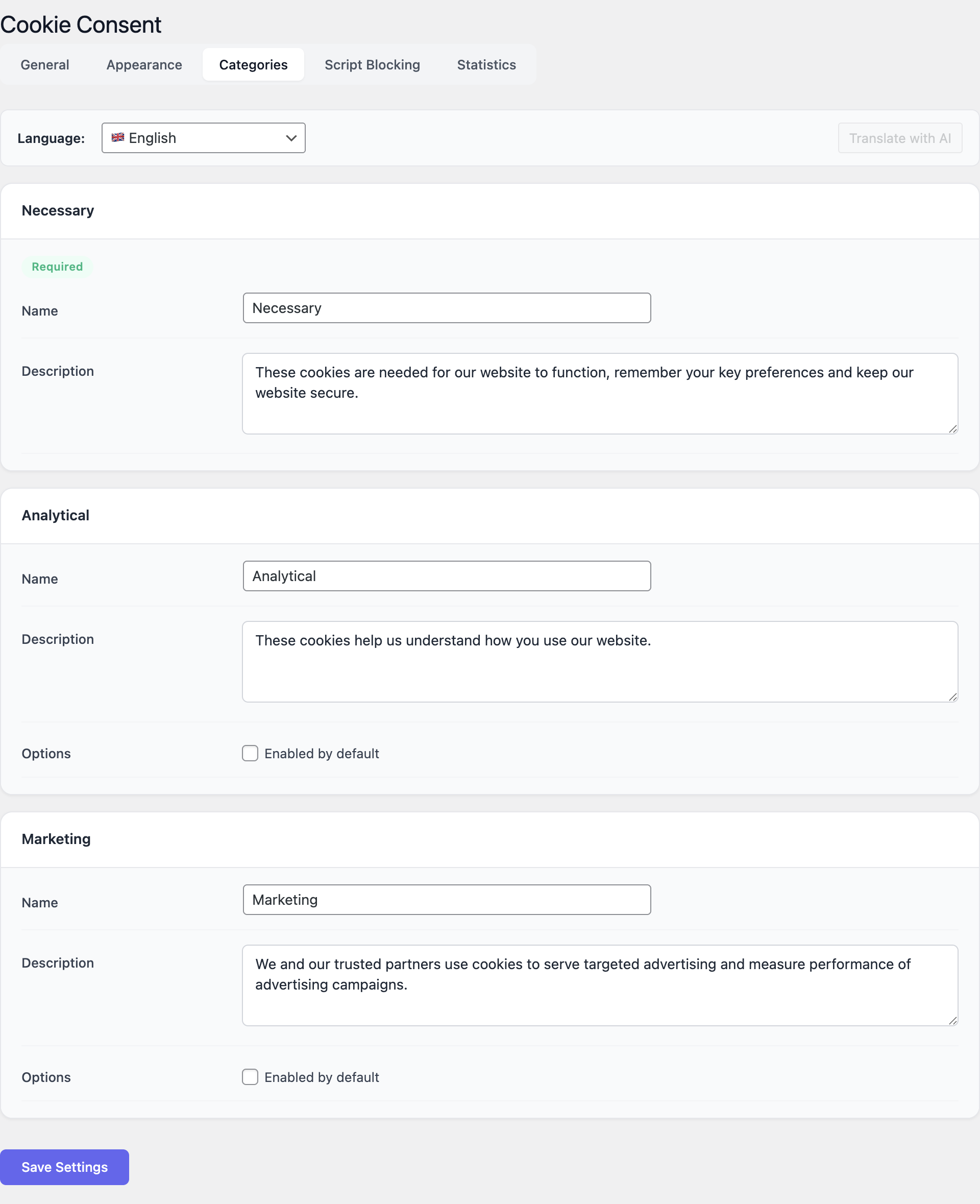
Organize cookies into three categories: Necessary (always active, cannot be disabled), Analytical (Google Analytics, Matomo, etc.), and Marketing (Facebook Pixel, ad trackers). Each category has a customizable name and description.
Script Blocking
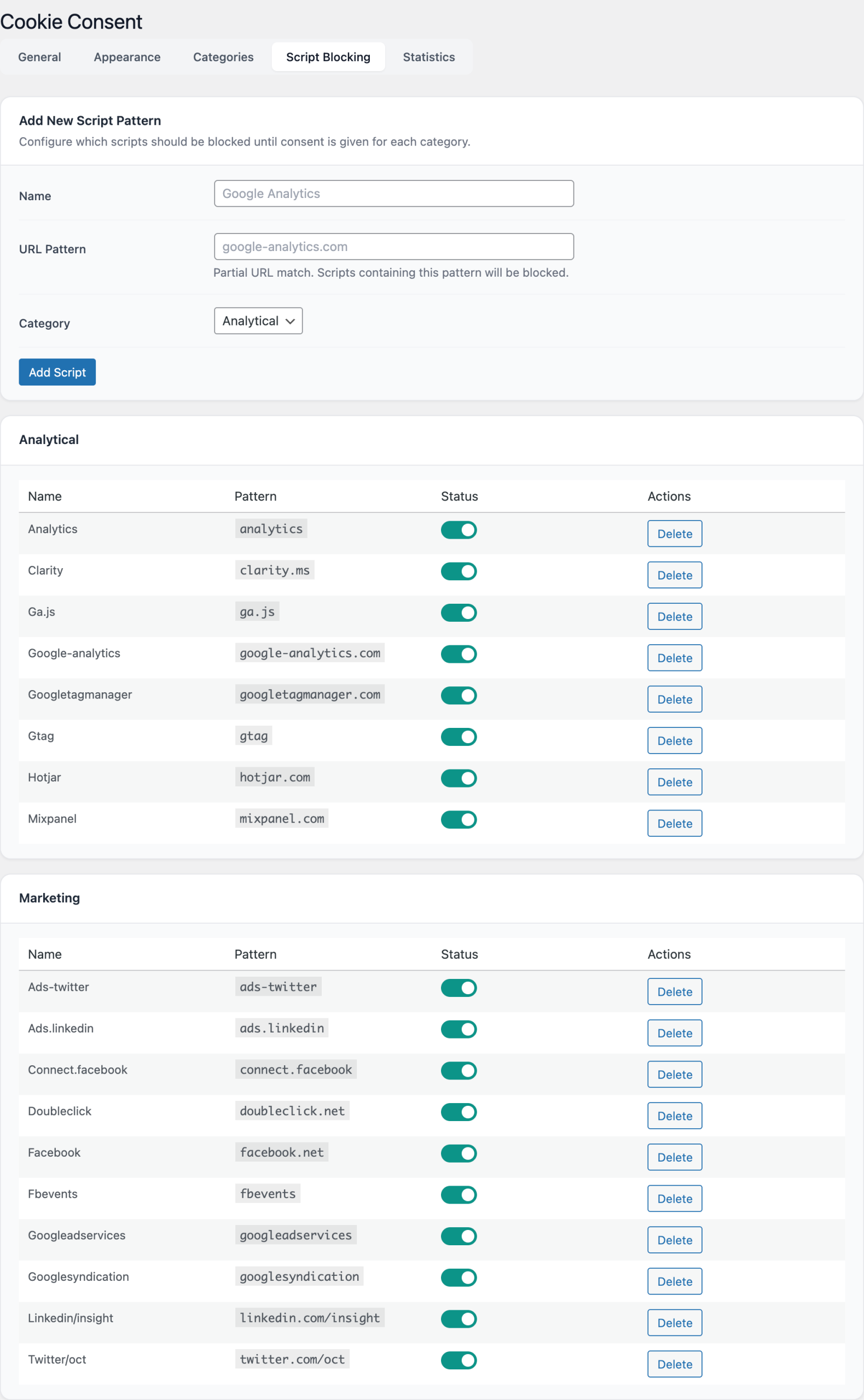
Add URL patterns for scripts that should be blocked until consent. Assign each pattern to the Analytical or Marketing category. Scripts are only loaded after the visitor accepts that category. Toggle individual scripts on/off.
Banner Customization
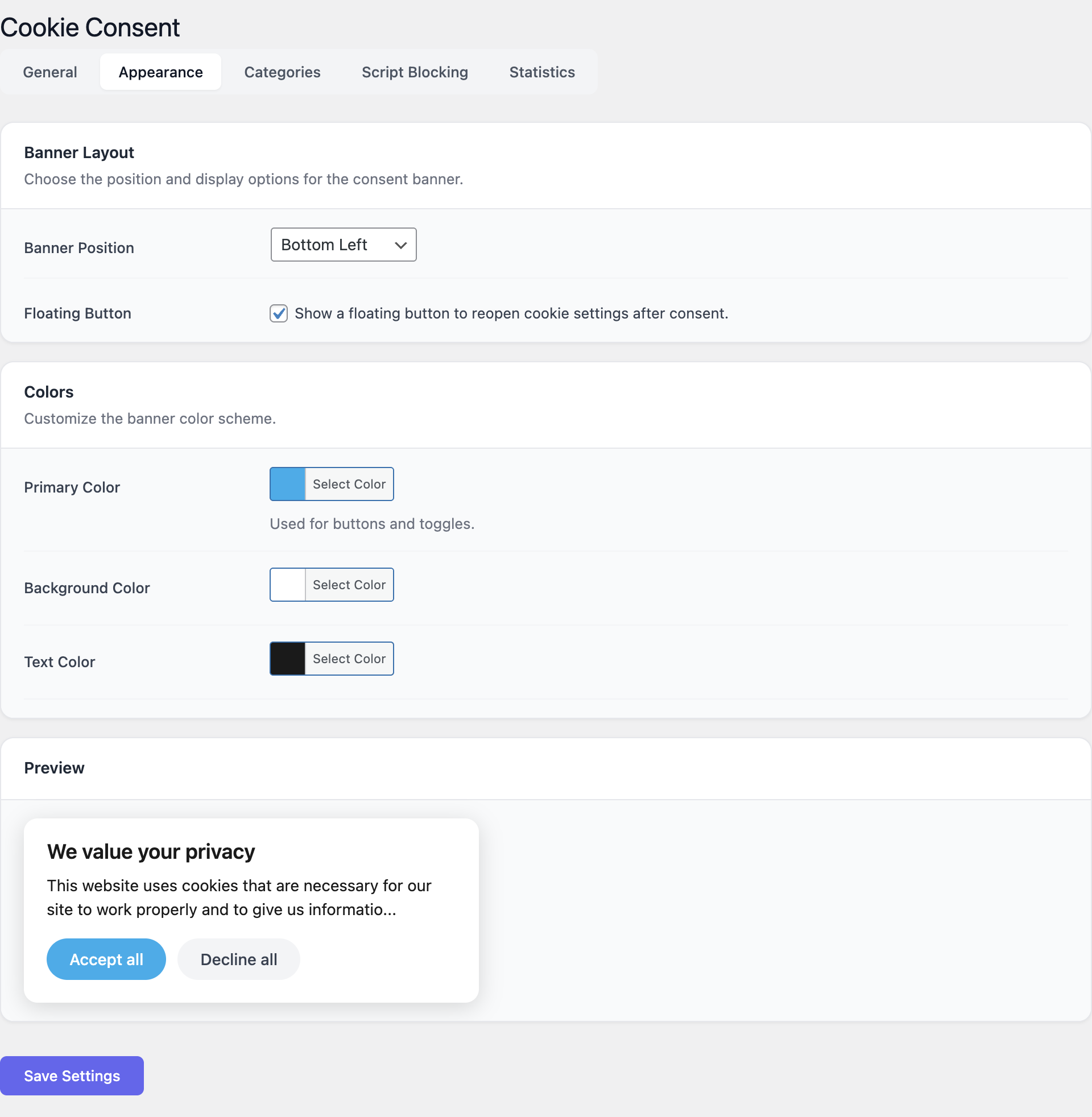
Choose from 5 positions. Customize primary color, background color, and text color with color pickers. Edit all button labels and description text. Live preview shows exactly how the banner looks.
Consent Statistics
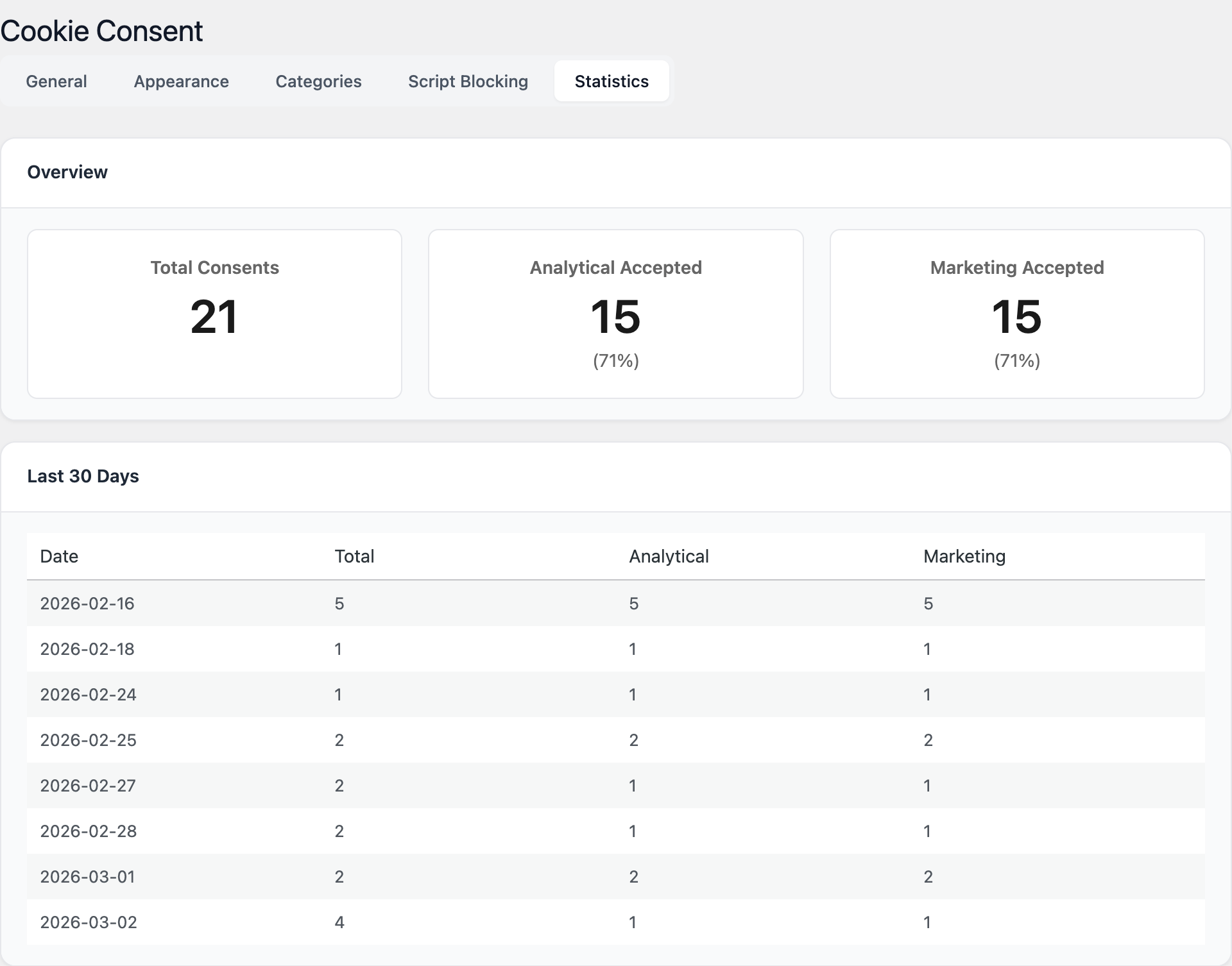
Track consent decisions with a built-in statistics dashboard. View total consents, analytical acceptance rate, and marketing acceptance rate. See daily breakdowns for the last 30 days.
Multilingual Support
With Polyglot integration, banner text is automatically translated for each language. Edit translations directly in the Cookie Consent settings using AI-powered translation.
Privacy Compliance
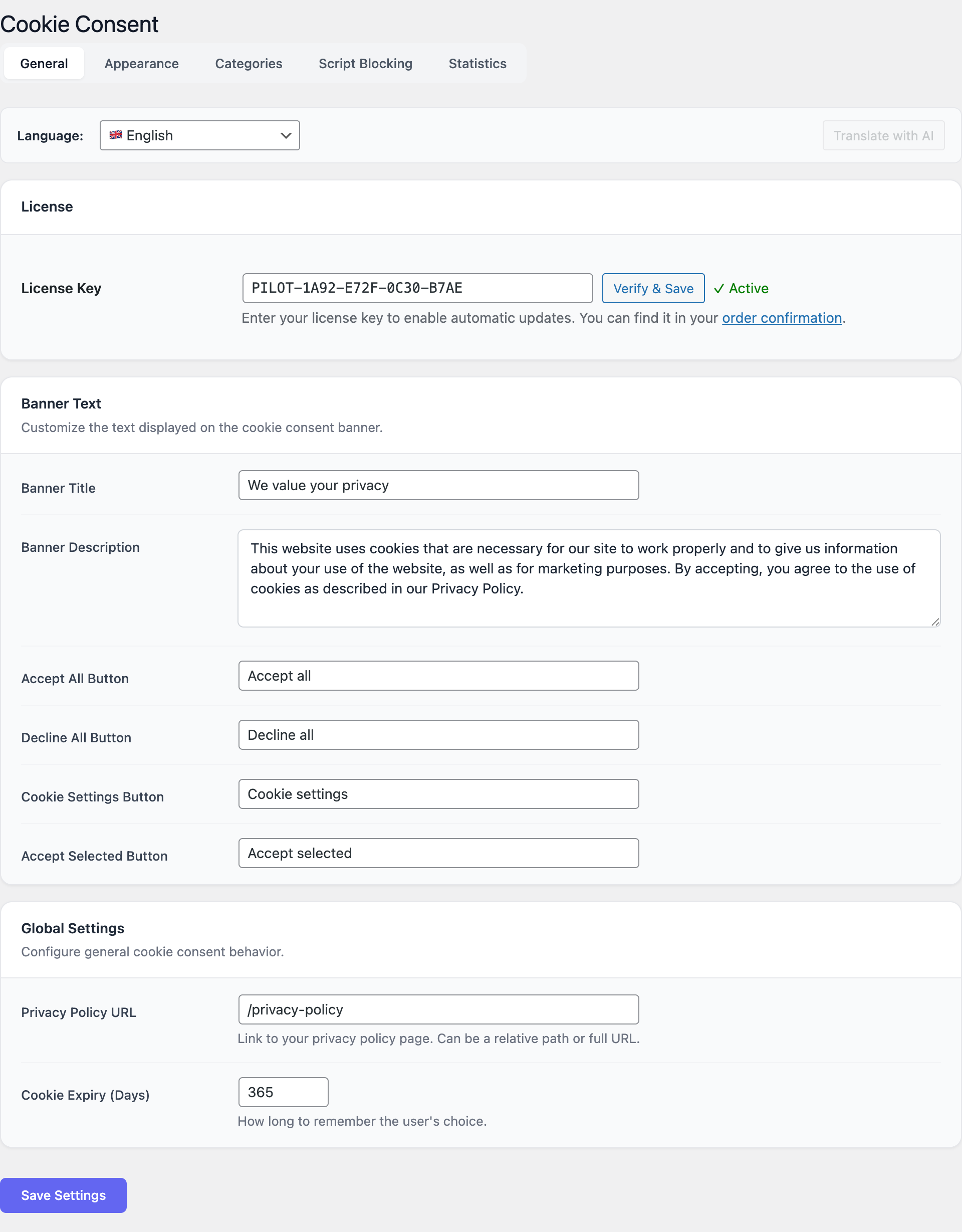
Set cookie expiry from 1 to 730 days. Link to your privacy policy page. All consent decisions are logged in a custom database table for GDPR compliance auditing.
Admin Interface
Getting Started
- Install and activate Cookie Consent.
- Go to Settings, Cookie Consent, General tab.
- Customize the banner title and description text.
- Set your privacy policy URL.
- Switch to the Appearance tab and choose a banner position.
- Use the live preview to verify the banner looks right.
- Go to Script Blocking and add URL patterns for tracking scripts you want to block until consent.
- Visit your site, the cookie banner appears for new visitors.
GDPR Compliance Made Simple
Beautiful cookie consent that respects your visitors and meets regulations.