


WordPress Plugin
Mail Pilot
Reliable email delivery through Brevo (formerly Sendinblue) with comprehensive logging, open/click tracking, delivery verification, and automatic SMTP fallback.
What is Mail Pilot?
Mail Pilot replaces WordPress's default mail function with the Brevo API for reliable, professional email delivery. Every email sent from your site — whether it's a WooCommerce order confirmation, a password reset, or a contact form submission — is routed through Brevo's infrastructure for maximum deliverability.
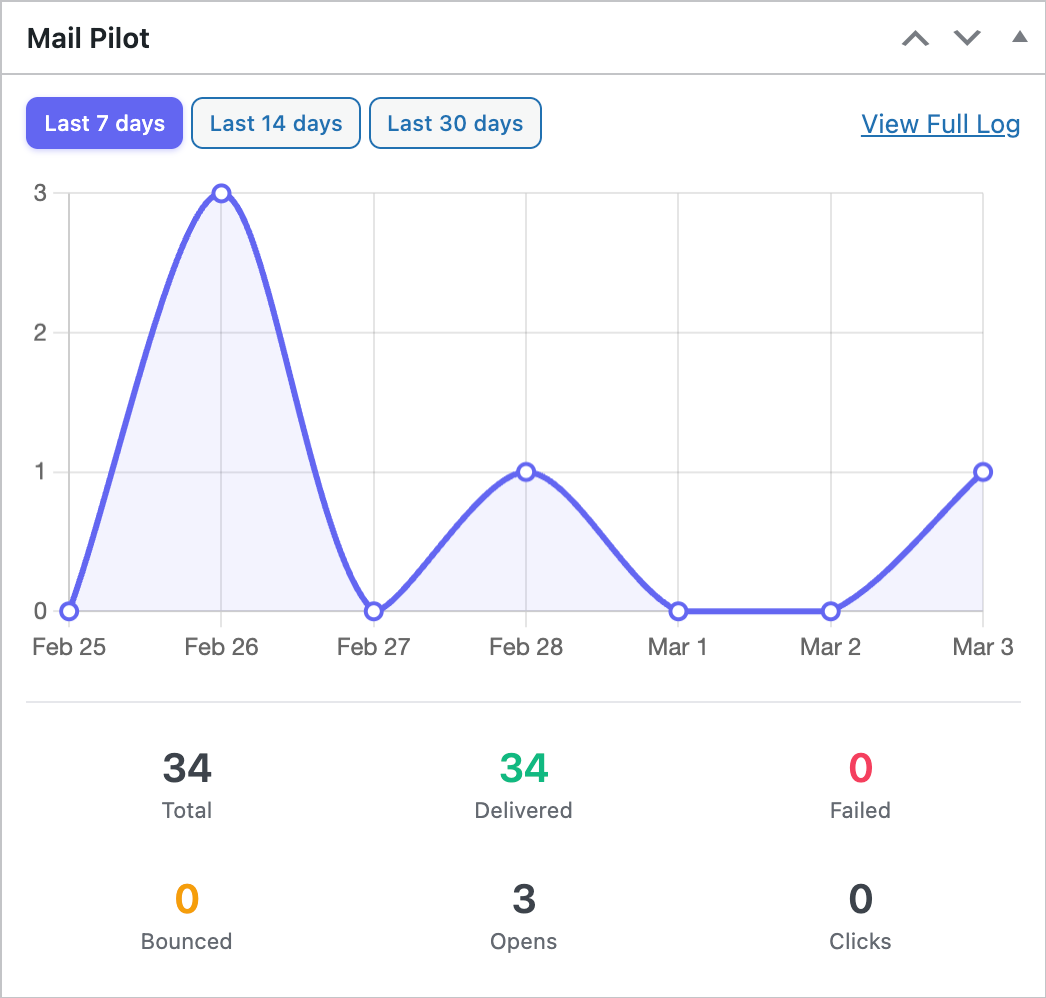
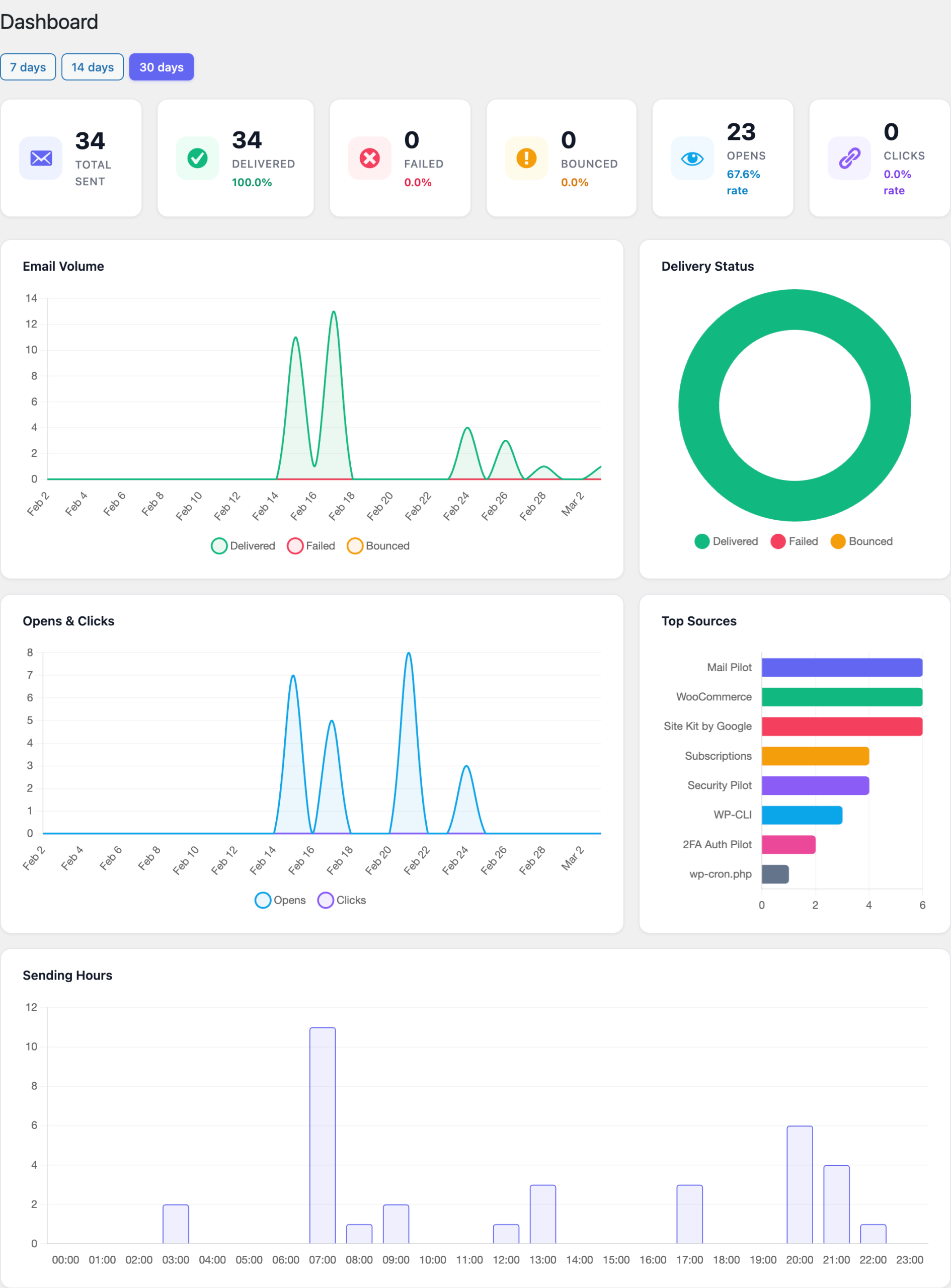
The plugin logs every email, tracks opens and clicks, verifies delivery status via webhooks, and includes an automatic SMTP fallback if the API call fails. No more wondering if your emails were delivered — Mail Pilot gives you complete visibility into your site's email activity.
What you get:
- Brevo API integration for reliable email delivery
- Complete email logging with searchable history
- Open and click tracking for every email
- Delivery verification via Brevo webhooks
- Automatic SMTP fallback if API fails
- Scheduled delivery verification via WordPress cron
- Automatic log cleanup to manage database size
- Prevents conflicts with WP Mail SMTP
Key Features
Brevo API Delivery
All WordPress emails are sent through Brevo's API instead of your server's mail function. This dramatically improves deliverability, reduces spam folder placement, and removes dependency on server-side email configuration.
Email Logging
Every email is logged in a custom database table with full details: recipient, subject, body, status, timestamps. Search and filter your email history to troubleshoot delivery issues or verify that critical emails were sent.
Open & Click Tracking
Track when recipients open your emails and which links they click. Gain insights into engagement rates for transactional emails like order confirmations, invoices, and notifications.
Delivery Verification
Brevo webhooks notify Mail Pilot of delivery events in real-time: delivered, bounced, blocked, or marked as spam. A scheduled cron task also verifies delivery status for added reliability.
SMTP Fallback
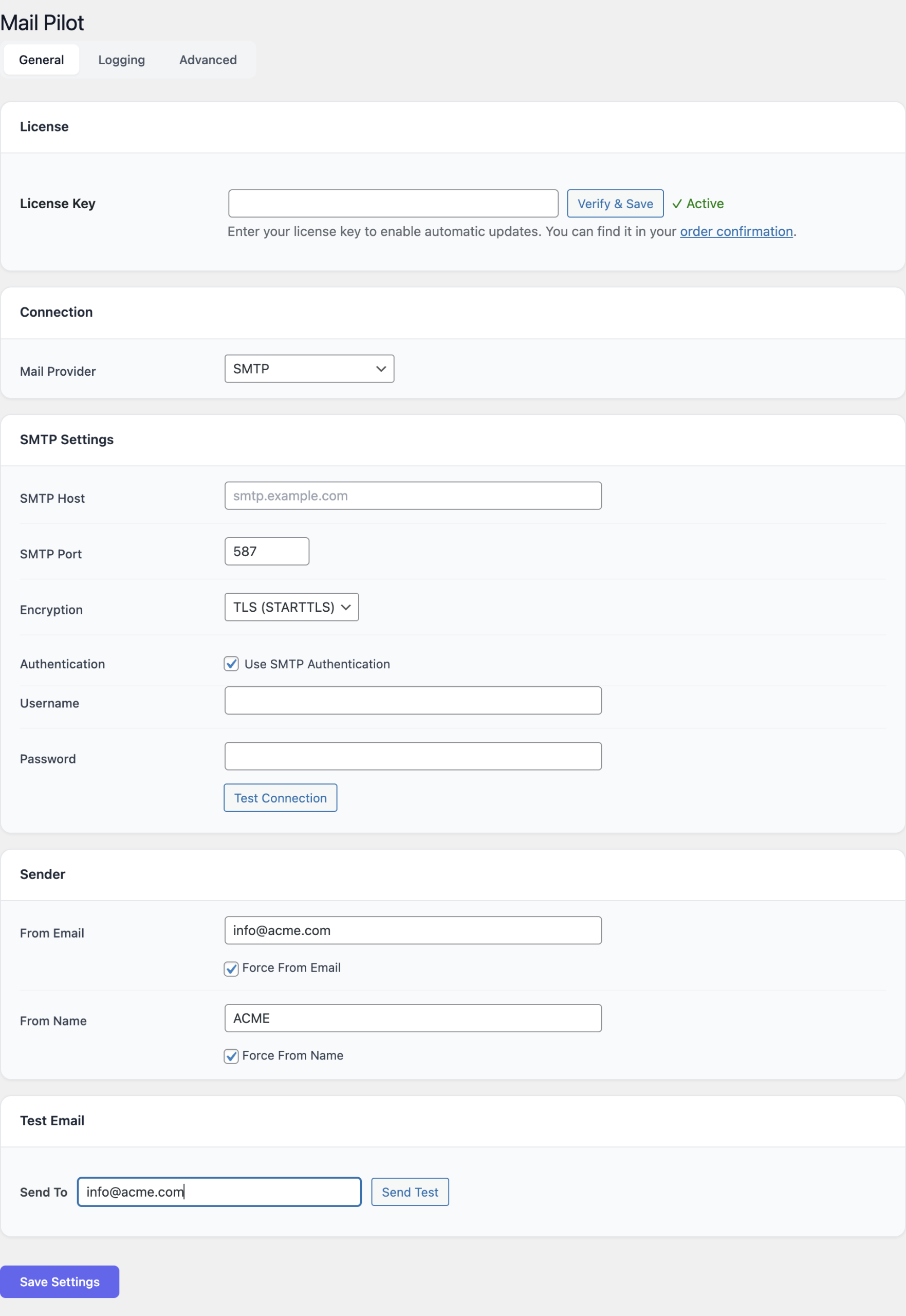
If the Brevo API call fails for any reason, Mail Pilot automatically falls back to SMTP delivery using Brevo's SMTP server. This dual-path approach ensures your emails always get sent.
Automatic Cleanup
A scheduled cron task cleans up old email logs to prevent database bloat. Configure the retention period to match your compliance requirements.
Admin Interface
Configuration Guide
Brevo API Setup
Navigate to Settings → Mail Pilot. Enter your Brevo API key (get one from app.brevo.com → SMTP & API → API Keys). Set the default 'From' email address and sender name. Test the connection by sending a test email.
Webhook Configuration
In your Brevo account, go to Settings → Webhooks. Add a new webhook with the URL shown in Mail Pilot settings. Select events: delivered, hard bounce, soft bounce, blocked, spam. Save — Mail Pilot will now receive real-time delivery notifications.
Email Logging
Logging is enabled by default once the plugin is activated. View logs from the Mail Pilot admin page. Filter by status (sent, delivered, bounced, failed) or search by recipient/subject.
Tracking Settings
Open tracking and click tracking can be enabled/disabled. When enabled, Brevo adds tracking pixels and link wrapping to outgoing emails.
Cleanup & Retention
Configure how long email logs are retained. The cleanup cron runs automatically — no manual intervention needed.
Getting Started
Follow these steps to get up and running with Mail Pilot:
- Create a free Brevo account at brevo.com if you don't have one.
- Generate an API key from your Brevo dashboard (SMTP & API → API Keys).
- Install and activate Mail Pilot.
- Go to Settings → Mail Pilot and enter your Brevo API key.
- Set your sender email and name.
- Send a test email to verify delivery works.
- Set up the Brevo webhook for delivery tracking (optional but recommended).
- All WordPress emails now route through Brevo automatically.
Never Miss an Email Again
Professional email delivery with complete visibility and tracking.