


WordPress Plugin
Polyglot
Translate your entire WordPress site automatically using leading AI models. Supports Divi 4, Divi 5, Elementor, and WooCommerce.
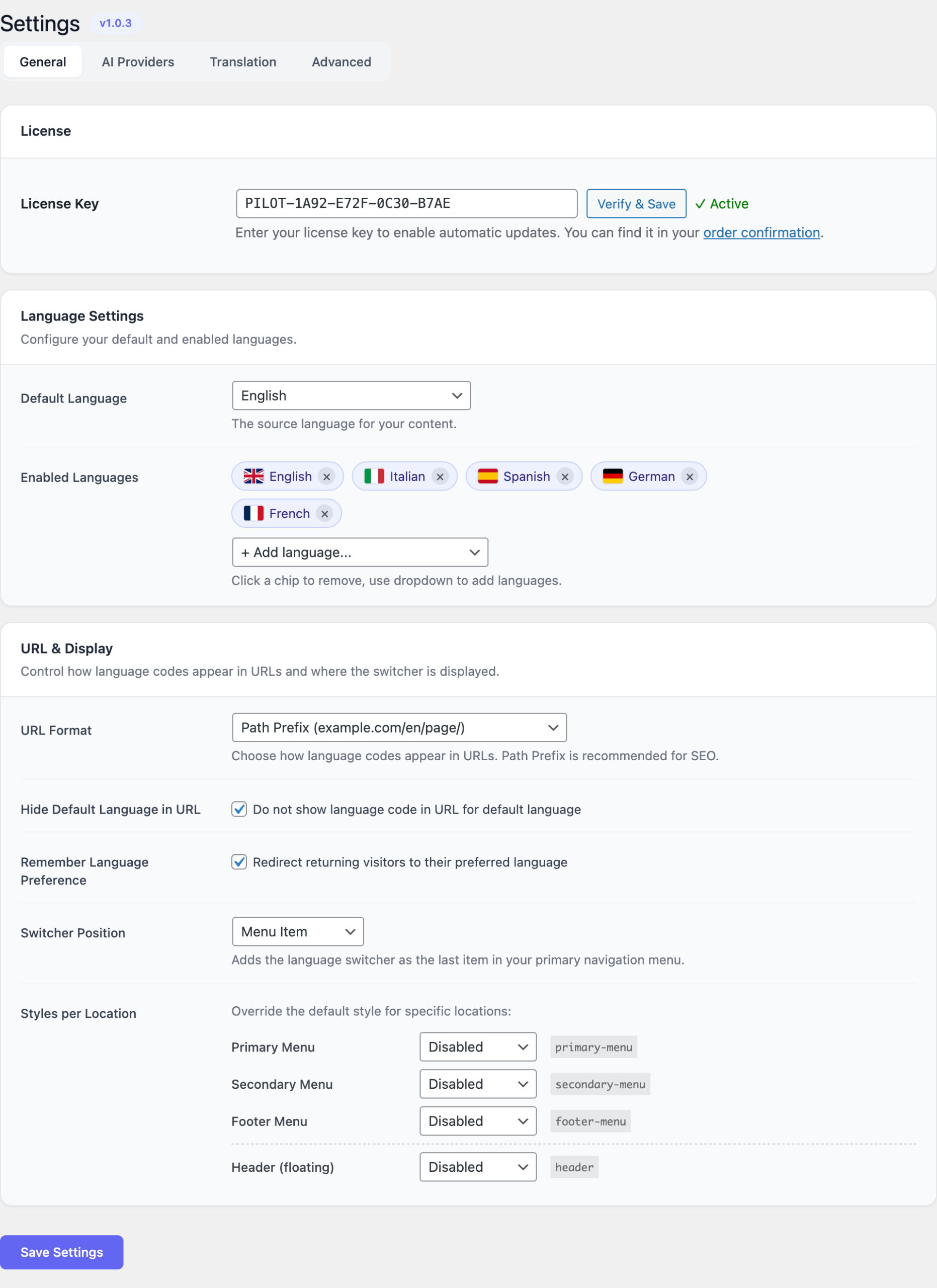
What is Polyglot?
Polyglot is an AI-powered multilingual translation plugin that lets you translate your WordPress content automatically using the worldu2019s best language models. Unlike traditional translation plugins that rely on machine translation APIs with limited quality, Polyglot leverages advanced AI providers like OpenAI GPT, Anthropic Claude, Google Gemini, DeepSeek, Grok, and even local models via Ollama.
With URL-based language switching, your visitors see clean, SEO-friendly URLs like /fr/about/ or /de/contact/. Translations are cached for lightning-fast performance, and you can manually edit any translation for perfect accuracy.
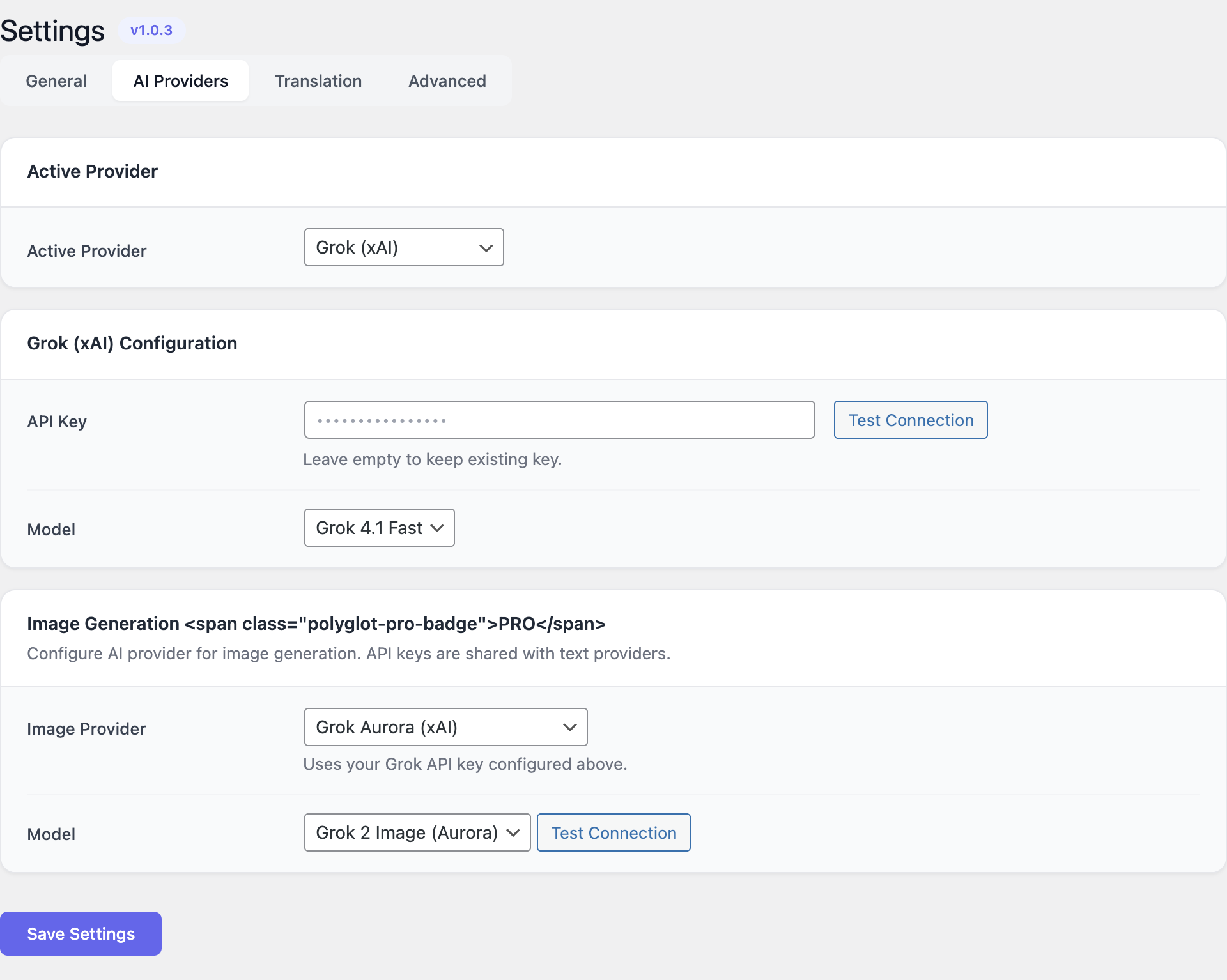
- 6 AI providers: OpenAI, Anthropic Claude, Google Gemini, DeepSeek, Grok, Ollama.
- URL-based language switching with SEO-friendly slugs.
- Full page builder support: Divi 4, Divi 5, and Elementor.
- Translation caching for fast page loads.
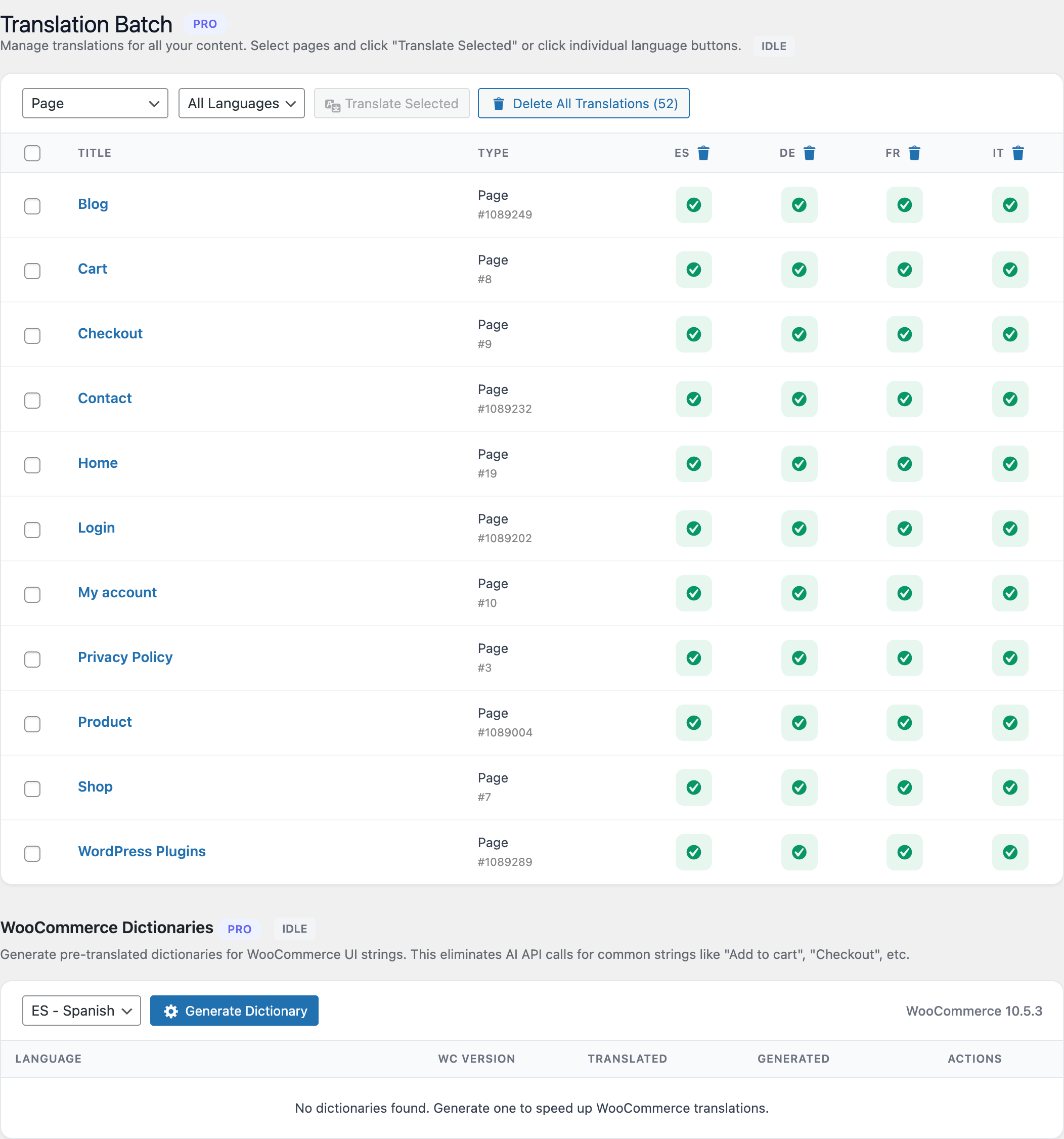
- WooCommerce product and shop translation.
- Post duplication for per-language content management.
- Background translation queue with WordPress cron.
Key Features
Multi-Provider AI Translation
Choose from 6 AI providers. Each offers different strengths: GPT-4 for general translation, Claude for nuanced context, Gemini for speed, or Ollama for complete privacy with local models.
Page Builder Integration
Full compatibility with Divi 4 (shortcodes), Divi 5 (block editor), and Elementor. Translates all builder modules, not just post content.
URL-Based Language Switching
Clean, SEO-friendly URLs. Each language gets its own URL prefix (/fr/, /de/, /es/). No query parameters, no cookies u2014 pure URL-based routing.
Smart Caching
Translations are cached in the database for instant delivery. The cache is invalidated automatically when content changes, ensuring visitors always see fresh translations.
Media Translation
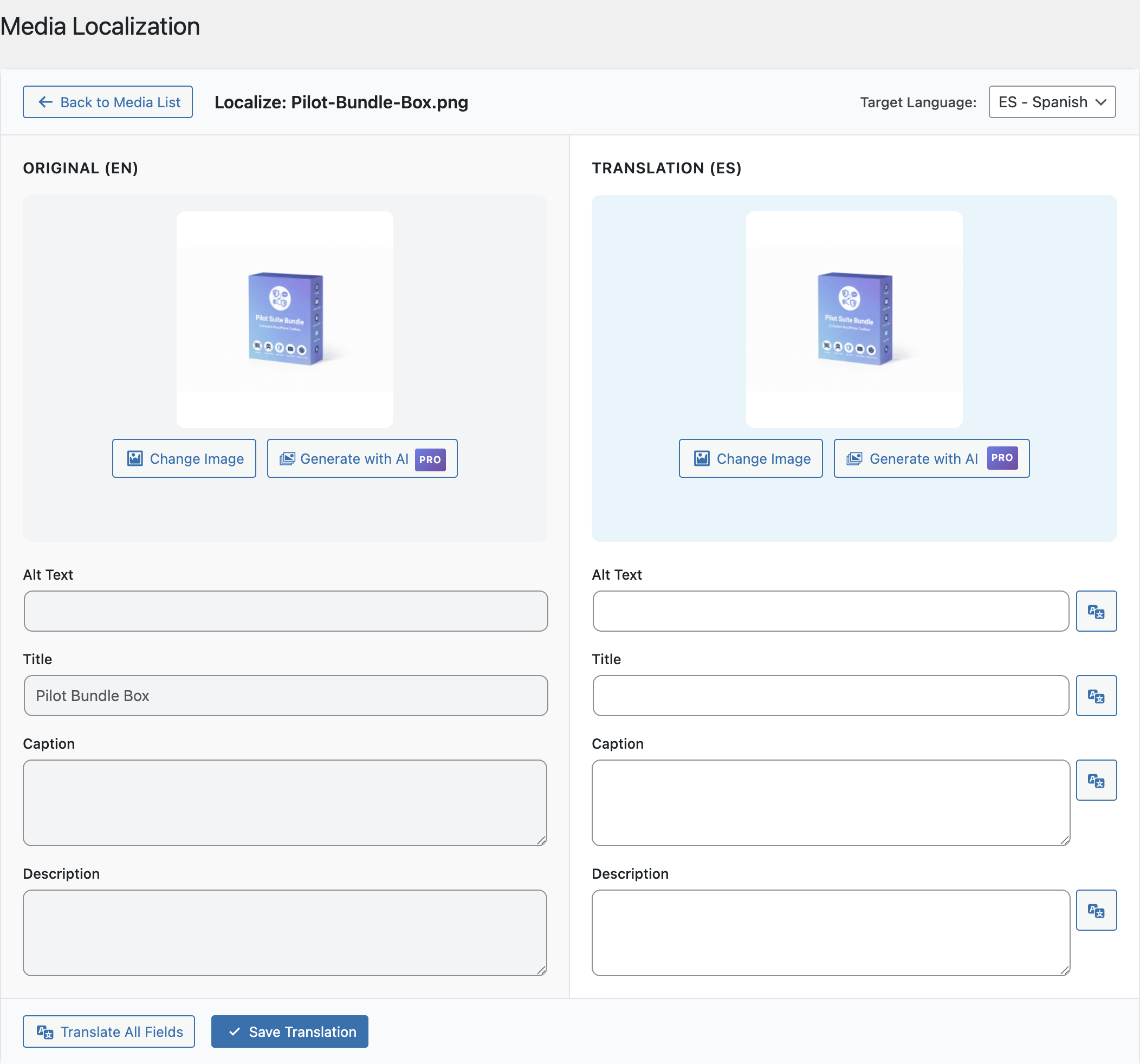
Translate image alt text, captions, and even swap images per language. Batch queue processing handles large media libraries efficiently.
Background Processing
Large sites? No problem. Polyglot uses WordPress cron with a custom 5-minute schedule to process translation queues in the background.
Admin Interface
Configuration Guide
Getting Started
- Install and activate the Polyglot plugin from Plugins u2192 Add New.
- Go to Polyglot u2192 Settings and configure your AI provider with an API key.
- Add your target languages in the Language Manager (e.g., French, German, Spanish).
- Visit any post or page u2014 youu2019ll see a Polyglot meta box with translation options.
- Click u2018Translateu2019 to generate AI translations, or enable auto-translate on save.
- Add the language switcher widget to your theme or use the shortcode in your pages.
-
Ready to Go Multilingual?
Start translating your WordPress site today with the power of AI.