


WordPress Plugin
Agent Pilot
Turn your WordPress site into a secure remote MCP (Model Context Protocol) server. Connect Claude — from claude.ai on the web, Claude Desktop, or Claude Code — and let it operate your site: search posts and products, draft and edit pages on-brand, manage WooCommerce, moderate comments and more. Every connection is authorized over OAuth 2.1, bound to a WordPress user, capability-checked and fully audited.
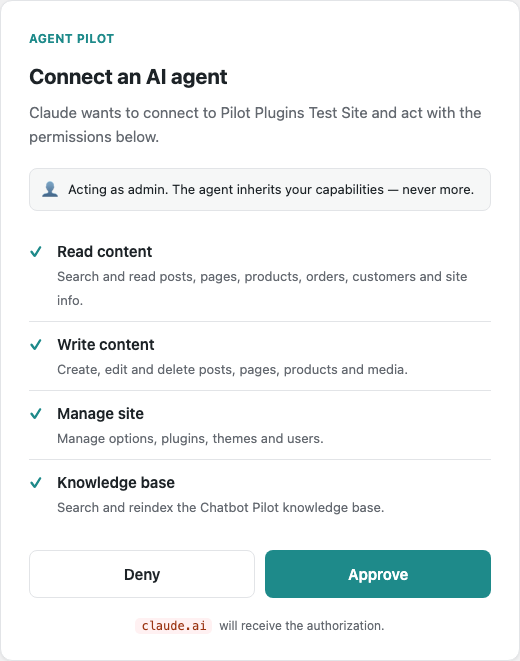
What is Agent Pilot?
Agent Pilot is a compliant Model Context Protocol server for WordPress and WooCommerce. It exposes your site to AI agents as a set of well-defined tools, secured by a full OAuth 2.1 handshake rather than a shared API key.
The hard part of giving an AI access to your site is doing it safely. Every access token is bound to a specific WordPress user, and every tool re-checks that user's capabilities before it runs — so Claude can never do more than the person who authorized it. Everything it does is written to an audit log you can review and revoke at any time.
What you get:
- A standards-based MCP server over OAuth 2.1 (PKCE, refresh tokens, Dynamic Client Registration)
- 25 built-in tools across four permission scopes: read, content authoring, WooCommerce and site management
- Multi-user & multi-instance — connect several Claude instances as different WordPress users
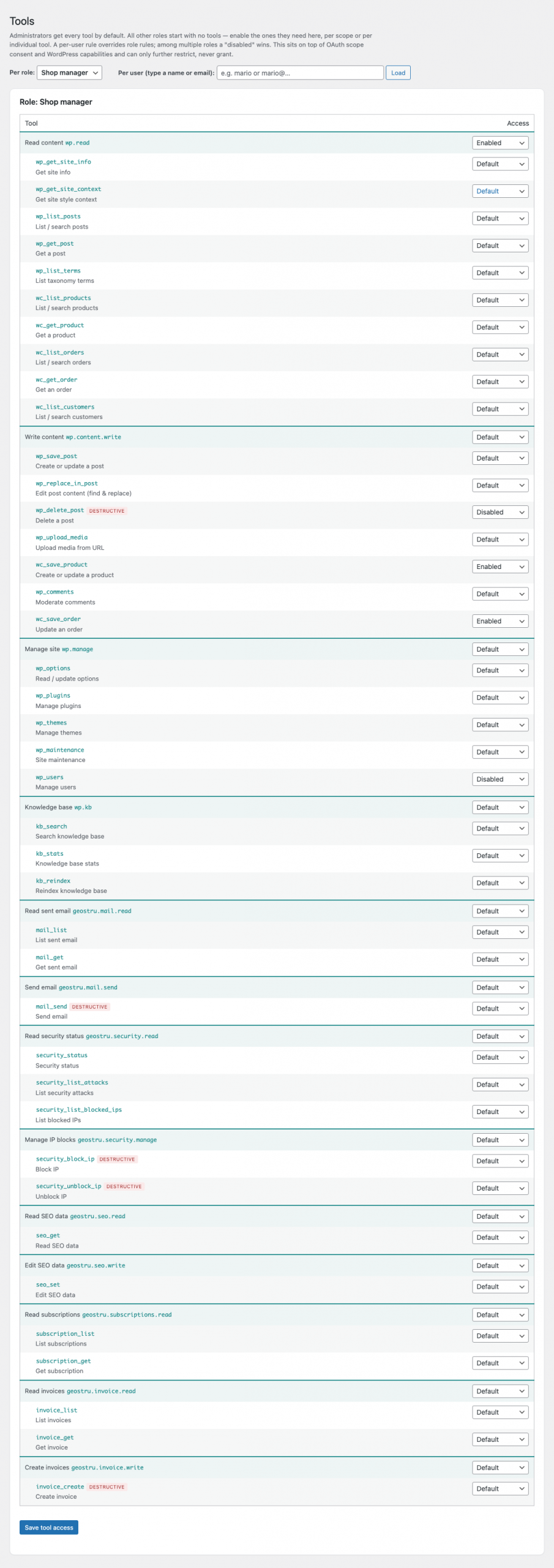
- Per-role and per-user tool control from a dedicated Tools screen
- Surgical find-and-replace edits, safe on Divi and Elementor pages
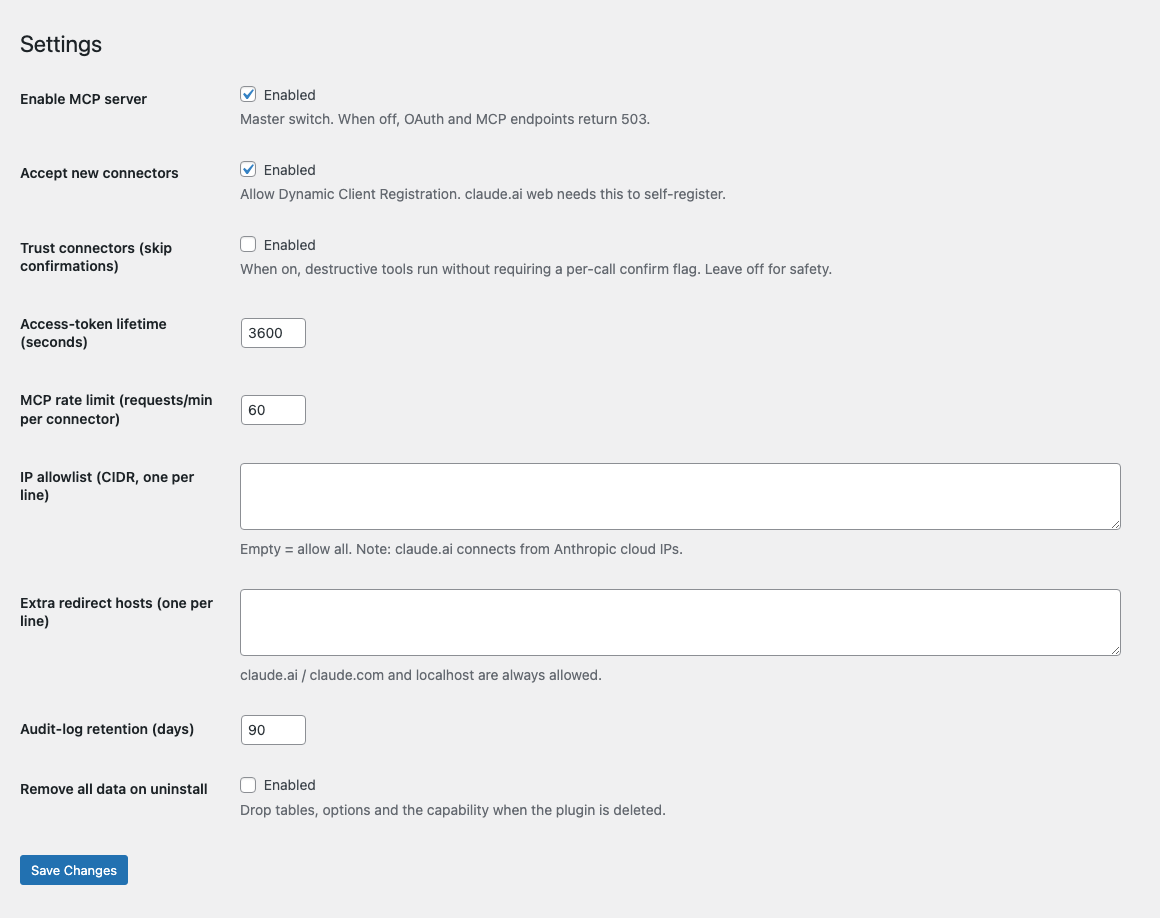
- Consent screen, destructive-action confirmation, full audit log, rate limiting, IP allowlist and key rotation
- Self-hosted and encrypted at rest — no telemetry, your data never touches our servers
Key Features
Standards-based, client-agnostic
A compliant MCP server over the Streamable-HTTP transport with full OAuth 2.1 — authorization code, PKCE, refresh tokens and Dynamic Client Registration. Works with claude.ai custom connectors, Claude Desktop and Claude Code out of the box.
25 tools across four scopes
Read, content authoring, WooCommerce and site management — plus an optional Chatbot Pilot knowledge-base scope and any tools other Pilot plugins contribute (invoicing, mail, security, SEO, subscriptions).
Per-role & per-user control
A dedicated Tools screen enables or disables each tool — or a whole scope — for any WordPress role or individual user. Administrators get everything by default; every other role starts empty and is granted exactly what it needs.
Surgical page-builder edits
wp_replace_in_post makes targeted find-and-replace edits, so Claude can fix a typo on a Divi or Elementor page without rewriting thousands of lines of builder markup.
Multi-user & multi-instance
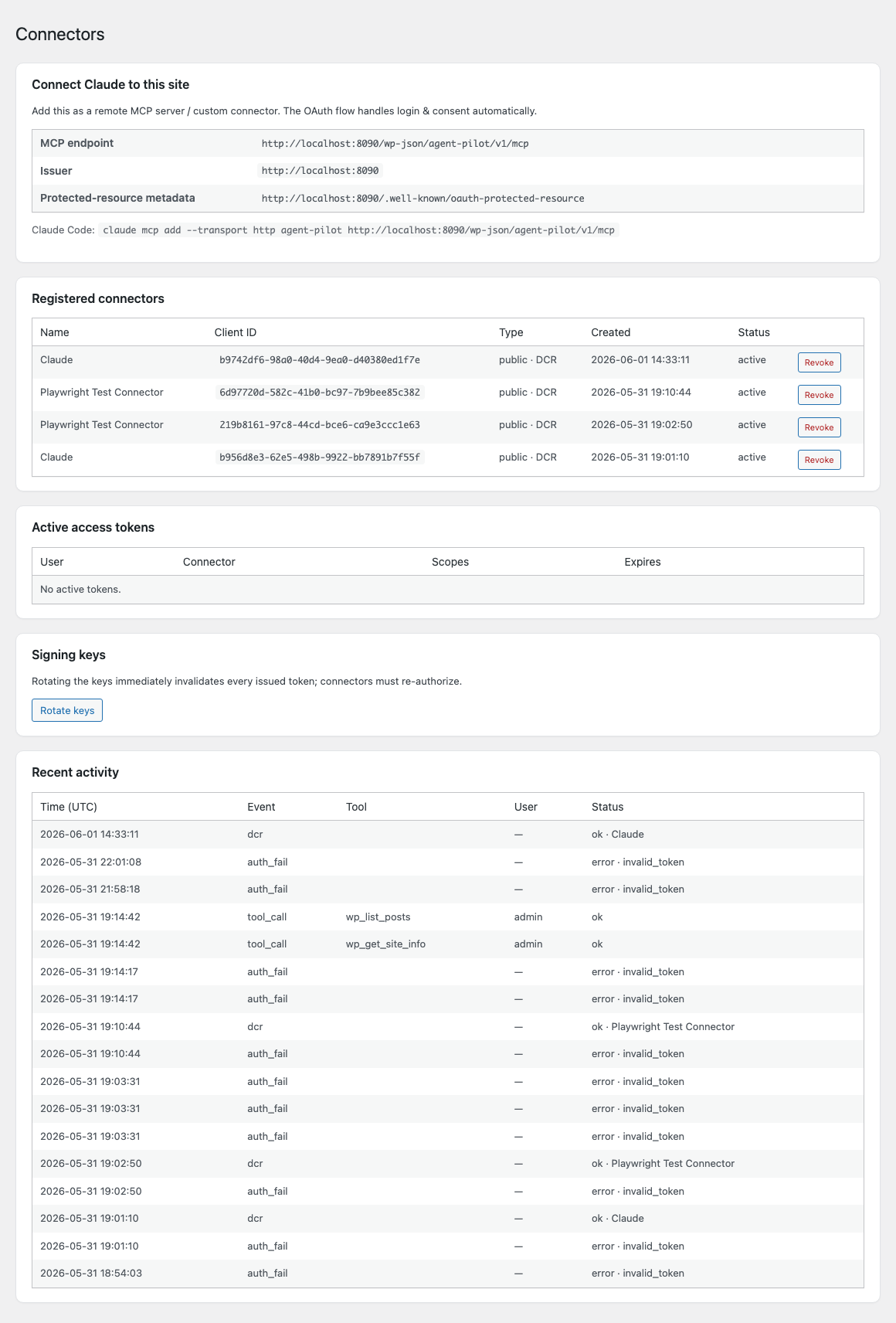
Connect several Claude instances at once — Claude Desktop as an editor, Claude Code as an administrator — each bound to its own WordPress user. The audit log attributes every action to the right person.
Defense in depth
A consent screen, scope-to-capability double checks, per-call confirmation for destructive actions, a full audit log, rate limiting, an optional IP allowlist and one-click key rotation.
Admin Interface
Everything runs from a clean set of admin screens — connect clients, review live activity, and tune exactly what each agent may do.
Configuration Guide
Install & activate
Upload the Agent Pilot ZIP under Plugins → Add New → Upload Plugin and activate it. On activation it creates its database tables, grants the manage_agent_pilot capability to administrators, and generates the OAuth signing keys automatically.
Connect Claude
Open Agent Pilot → Connectors and copy the MCP endpoint URL. In claude.ai or Claude Desktop, go to Settings → Connectors → Add custom connector and paste it, then approve the consent screen. For Claude Code, run:
claude mcp add --transport http agent-pilot https://your-site.com/wp-json/agent-pilot/v1/mcp
Choose who the agent acts as
The consent screen runs as the logged-in WordPress user, and the resulting token inherits that user's capabilities. For a tightly-scoped connection, create a dedicated WordPress user with a limited role (plus the manage_agent_pilot capability so they can authorize), and approve the connector while logged in as that user — the agent can then do exactly what that user can, and nothing more.